
Activity Log
Folders are containers, and they are yours to arrange
Much like folders on your computer desktop, Folders in Script 360 hold screenplays along with any and all collateral material related to them. Pitch decks, series bibles, plot summaries, poster or casting or location images, even videos and audio files.
What goes in one is entirely up to you. The obvious use is a television series, with every episode of it in one place. But a folder does not have to be a single story:
- By kind - Horror Scripts, Half Hour Comedies, Shorts
- By where a script has got to - Out to Producers, In Development, Optioned, Retired
- By anything else that helps you find things - a writing partner, a production company, a year
A screenplay lives in one folder at a time, so folders are a place to put a script rather than a label to hang on it.
Where to find them
On the Dashboard you will see a widget titled Folders, holding a button to create a new one and a list of the folders already in your account:
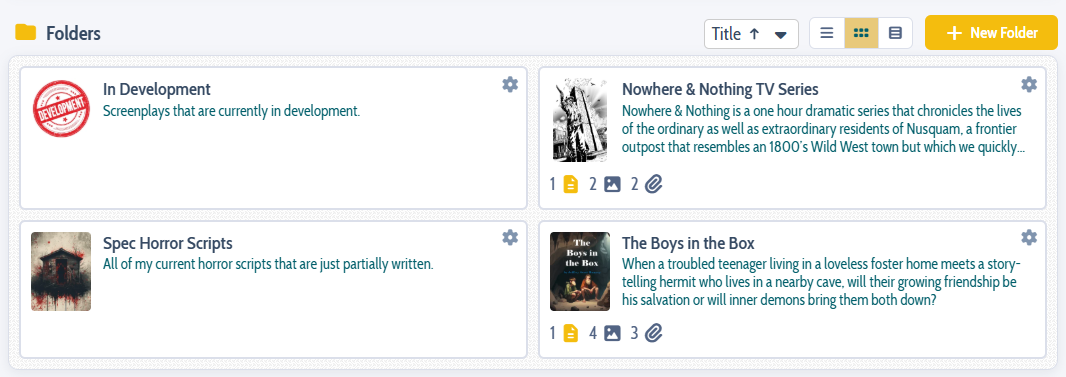
Click a folder's title to open its own page:
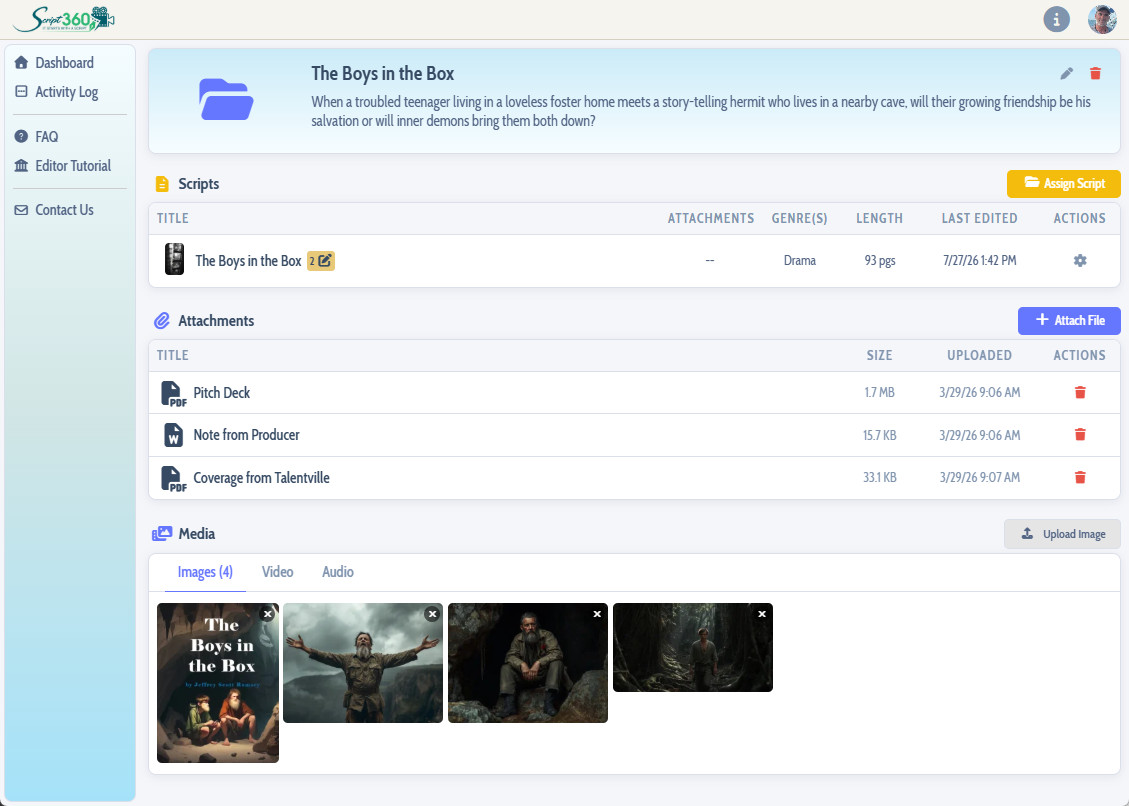
Much like the dashboard, a folder's page carries a set of widgets showing what is inside it, most of which should be self explanatory. Just note that in addition to screenplays, a folder can hold other things, including...
- Attachments (PDFs, Word, PowerPoint, Excel or other documents)
- Images (JPG, GIF or PNG)
- Videos
- Audio Files
Loading content...
Loading screenplays…
Loading members…
Loading coverage…
Loading posts…
Education
Articles on the craft and business of screenwriting, from Script 360 and writers who know the work.
Loading articles…
Attachments/Media
The tabs in this section are currently hidden. Click on any of the tab titles above to open one.
| Title | Size | Uploaded | Actions |
|---|
No Attachments
No Images
No Videos
No Audio Files
Series / World
For a TV series, or a film and its sequels: keep the characters and locations that recur here, and every script you add to the folder can bring them in.
The tabs in this section are currently hidden. Click on any of the tab titles above to open one.
Scripts
Attachments/Media
The tabs in this section are currently hidden. Click on any of the tab titles above to open one.
| Title | Size | Uploaded | Actions |
|---|
No Attachments
No Images
No Videos
No Audio Files