
Activity Log
You can ask to read any script listed in the Script Library
Members who list their work in the Script Library are inviting site members to take an interest in it. What the Library listing shows you, though, is the poster, the logline, the genres and whatever else the screenplay comes with - not the screenplay itself. Reading it is the author's decision, and asking them for permission takes one click.
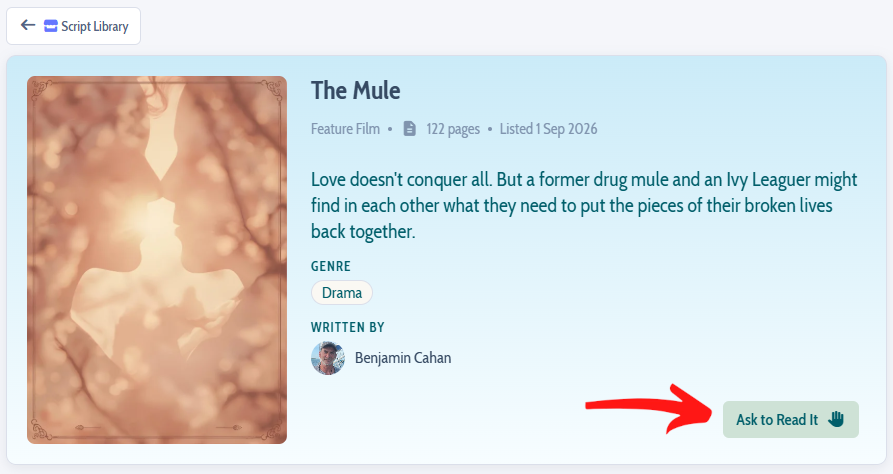
Open the Script Library from the sidebar and click any card to bring up that screenplay's summary page. Unless you can already read it (such as if you were invited to read or edit the script), you will see an Ask to Read button on the summary page.
We recommend you send a note with your request
Clicking the Ask to Read button opens a box where you can write a line or two to the author: who you are, what caught your eye in their logline, what you are hoping to do with it.
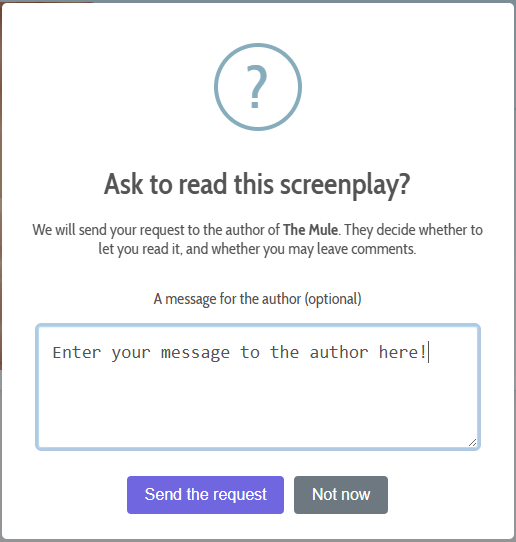
The note is entirely optional and your request is worth sending without one - but an author is far more likely to say yes to a request that sounds like it came from a person.
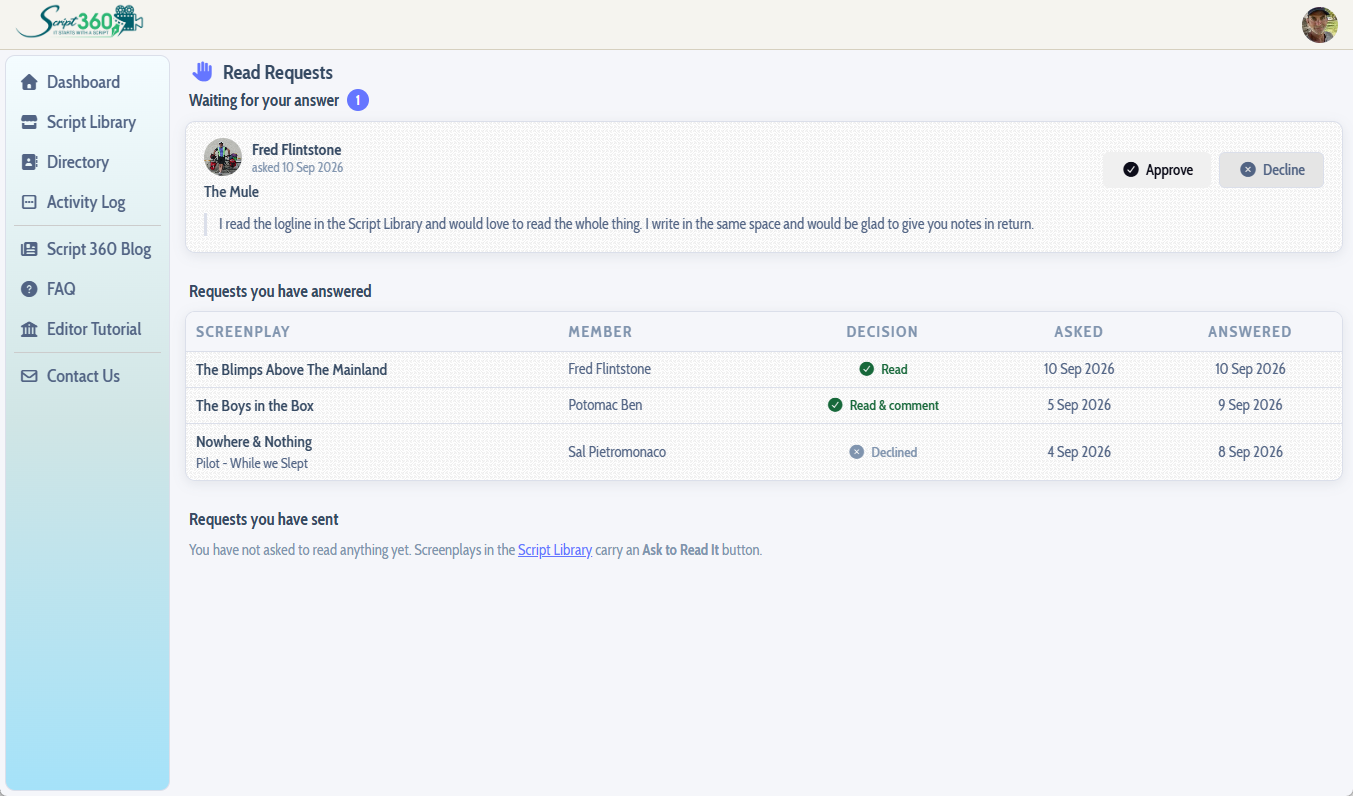
The moment you send it, we email the author to let them know somebody is waiting on them, with your name and your note in the message. Nothing else happens until they answer: the screenplay stays closed, and you are not left wondering whether it went through - your request is listed on your own Read Requests page from then on.
How many requests you can send
So that no author is flooded, there is a limit on how many screenplays you can ask for in any twenty four hour period:
- Free members: two requests
- Basic members: four requests
- Pro members: six requests
If the author approves your request there is nothing more to ask for, and if they decline it, that is their answer - the Ask button does not come back. An author declining you is not a judgement of you or of your reasons; a screenplay can be private for all sorts of reasons that have nothing to do with the person asking.
If the author approves your request
We email you the moment they do, and the screenplay appears immediately in the Screenplays widget on your dashboard, drawn with a light green background, alongside everything else you have been invited to read:
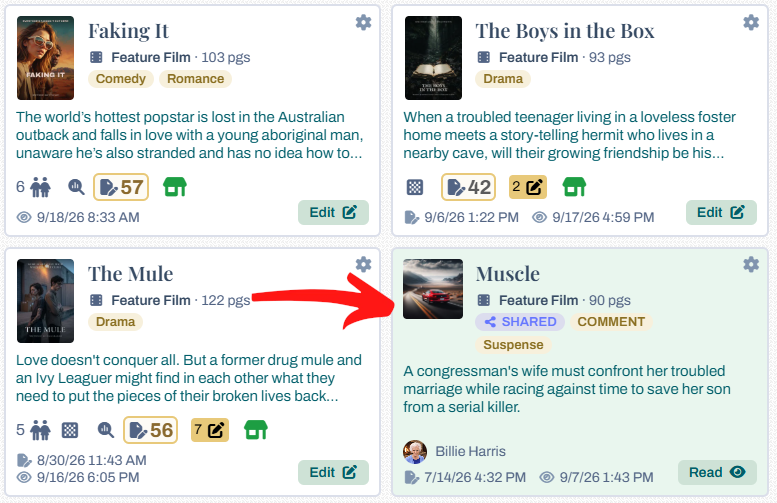
The author decides what you may do with it - read it, or read it and leave comments - and they may set a date on which the access ends. Whatever they chose, opening it from your dashboard is all there is to it from then on.
To see every request you have sent and what became of it, click your avatar at the top right of any page and choose Read Requests.
Loading content...
Loading screenplays…
Loading members…
Loading coverage…
Loading posts…
Education
Articles on the craft and business of screenwriting, from Script 360 and writers who know the work.
Loading articles…
Attachments/Media
The tabs in this section are currently hidden. Click on any of the tab titles above to open one.
| Title | Size | Uploaded | Actions |
|---|
No Attachments
No Images
No Videos
No Audio Files
Series / World
For a TV series, or a film and its sequels: keep the characters and locations that recur here, and every script you add to the folder can bring them in.
The tabs in this section are currently hidden. Click on any of the tab titles above to open one.
Scripts
Attachments/Media
The tabs in this section are currently hidden. Click on any of the tab titles above to open one.
| Title | Size | Uploaded | Actions |
|---|
No Attachments
No Images
No Videos
No Audio Files