
Activity Log
If you are a Talentville.com member with scripts uploaded there…
It is a snap to copy them over to Script 360, fully formatted and ready to edit. Along with the screenplay itself come its type, title, logline, genres, tags and even the poster image, if you uploaded one.
First, log in. On your Dashboard, find the Screenplays section and click the yellow New Screenplay button at its top right, just as if you were creating any other screenplay:
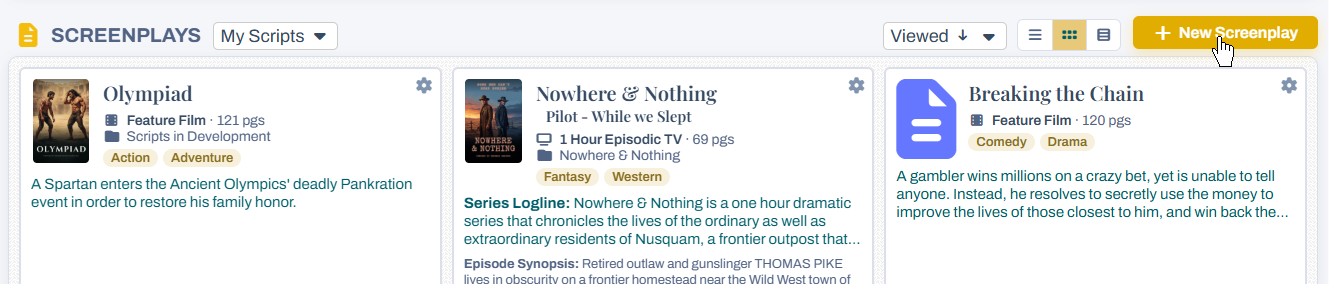
Choose Import from Talentville
The Create New Screenplay popup starts by asking how you would like to start. If your Script 360 account uses the same email address as a Talentville account with screenplays in it, one of the three buttons is Import from Talentville, and it tells you how many of your screenplays are there.
Click it, and a list of your Talentville screenplays appears underneath, with the type and page count of each:
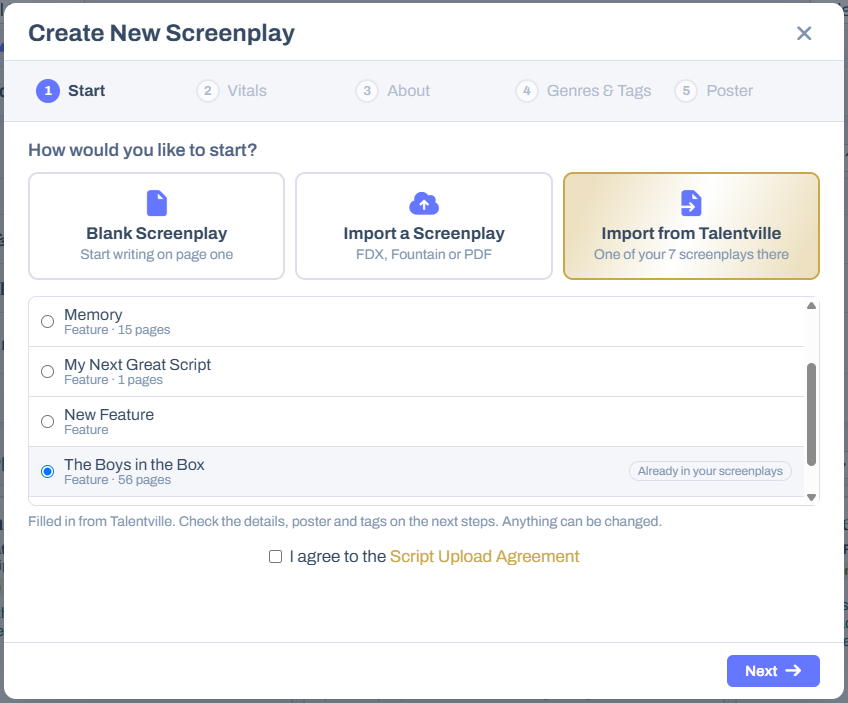
- Click the screenplay you want to bring over. Its details are read from Talentville and filled in for you — a line under the list says so once it is done.
- A screenplay marked Already in your screenplays has the same title as one you have here, so you do not bring it over twice by mistake. You can still import it if you want a second copy.
- Tick I agree to the Script Upload Agreement and click Next.
Check the details, then create it
The next steps — Vitals, About, Genres & Tags and Poster — arrive already filled in from Talentville. Look them over and change anything you like: a new logline, a different folder, an extra genre, another poster. Nothing you change here alters the copy on Talentville.
From the Vitals step on, a Create Script button sits beside Next, so if everything is already right you can create it straight away.
Your new screenplay
The screenplay is converted so it is fully editable, and laid out page by page to work out its length and where each scene falls — you will see a Preparing your screenplay message while that happens. Then you are taken to its summary page, with everything copied over from Talentville:
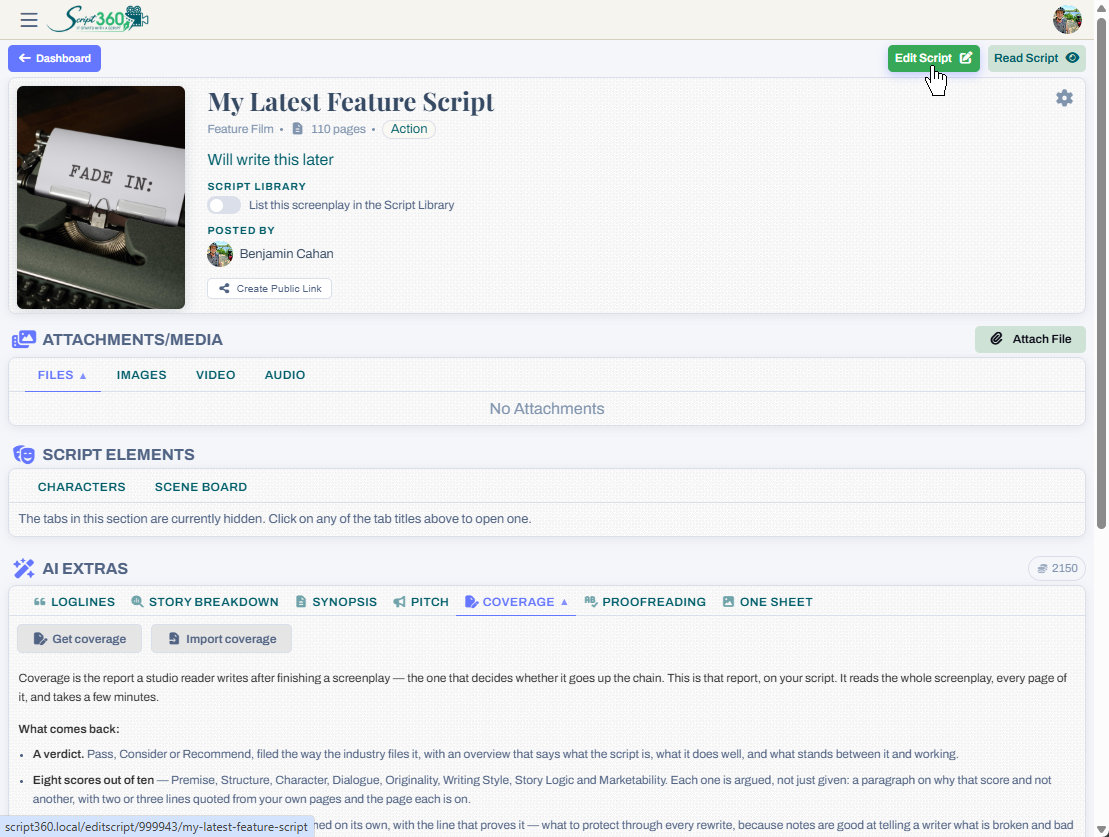
From there you can open it in our editor, attach files and media, list it in the Script Library, or have our AI work on it. See How do I upload an existing script? for more on what the summary page offers.
Loading content...
Loading screenplays…
Loading members…
Loading coverage…
Loading posts…
Education
Articles on the craft and business of screenwriting, from Script 360 and writers who know the work.
Loading articles…
Attachments/Media
The tabs in this section are currently hidden. Click on any of the tab titles above to open one.
| Title | Size | Uploaded | Actions |
|---|
No Attachments
No Images
No Videos
No Audio Files
Series / World
For a TV series, or a film and its sequels: keep the characters and locations that recur here, and every script you add to the folder can bring them in.
The tabs in this section are currently hidden. Click on any of the tab titles above to open one.
Scripts
Attachments/Media
The tabs in this section are currently hidden. Click on any of the tab titles above to open one.
| Title | Size | Uploaded | Actions |
|---|
No Attachments
No Images
No Videos
No Audio Files