
Activity Log
Loading content...
Revision Mode Basics
Best to carefully look over all the options and settings
Our Revision tracking module is available to our Basic and Pro members. If you are a Free member, the Revisions menus will not be displayed and this entire tutorial section will not apply to you.
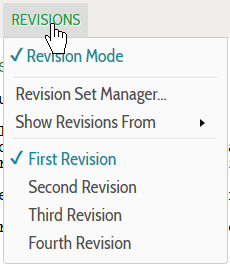
Get familiar with the Revisions menu
One of the menus above the script is the Revisions menu, which allows you to turn Revision Mode on and off and determine what is displayed and what is not:
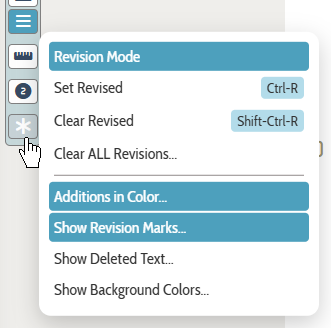
Also, get used to the Icon bar Revisions menu
This pop-out menu contains extra options relating to revisions, such as marking the selected text as revised (or not), plus toggle items for settings that control how revisions are displayed in the script:
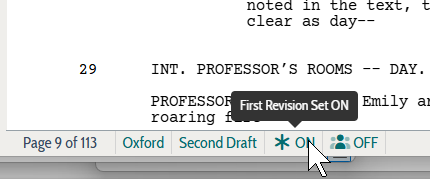
Finally, note the Revision indicator in the bottom bar beneath the script
This quick indicator will let you know, at a glance, whether revision mode is on or off:
Loading screenplays…
Loading members…
Loading coverage…
Loading posts…
Education
Articles on the craft and business of screenwriting, from Script 360 and writers who know the work.
Loading articles…
Attachments/Media
The tabs in this section are currently hidden. Click on any of the tab titles above to open one.
| Title | Size | Uploaded | Actions |
|---|
No Attachments
No Images
No Videos
No Audio Files
Series / World
For a TV series, or a film and its sequels: keep the characters and locations that recur here, and every script you add to the folder can bring them in.
The tabs in this section are currently hidden. Click on any of the tab titles above to open one.
Scripts
Attachments/Media
The tabs in this section are currently hidden. Click on any of the tab titles above to open one.
| Title | Size | Uploaded | Actions |
|---|
No Attachments
No Images
No Videos
No Audio Files